
Lincoln Corsair: Front Disc Brake / Removal and Installation - Brake Disc
Lincoln Corsair 2020-2026 Service Manual / Chassis / Brake System / Front Disc Brake / Removal and Installation - Brake Disc
Materials
| Name | Specification |
|---|---|
| Motorcraft® Metal Brake Parts Cleaner PM-4-A, PM-4-B, APM-4-C |
- |
Removal
 WARNING:
Service actions on vehicles equipped with electronic brake
booster and electronic parking brakes may cause unexpected brake
application, which could result in injury to hands or fingers. Put the
brake system into service mode prior to servicing or removing any brake
components. Failure to follow this instruction may result in serious
personal injury.
WARNING:
Service actions on vehicles equipped with electronic brake
booster and electronic parking brakes may cause unexpected brake
application, which could result in injury to hands or fingers. Put the
brake system into service mode prior to servicing or removing any brake
components. Failure to follow this instruction may result in serious
personal injury.
NOTE: Removal steps in this procedure may contain installation details.
-
Activate the brake service mode.
Refer to: Brake Service Mode Activation and Deactivation (206-00 Brake System - General Information, General Procedures).
-
Remove the wheel and tire.
Refer to: Wheel and Tire (204-04A Wheels and Tires, Removal and Installation).
-
NOTICE: Make sure that no load is placed on the brake hose.
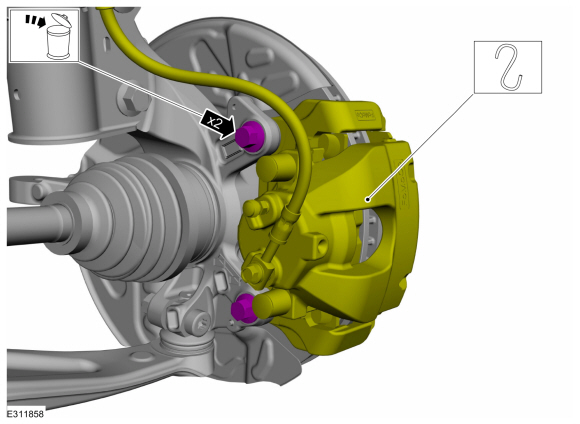
Remove the bolts and position the brake caliper and anchor plate aside.
Torque: 81 lb.ft (110 Nm)
 |
-
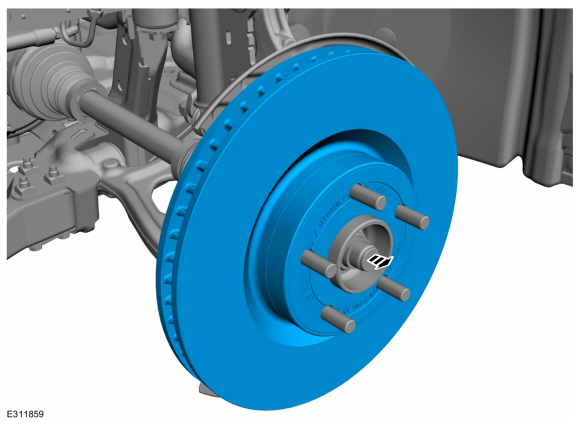
Remove the brake disc.
 |
Installation
-
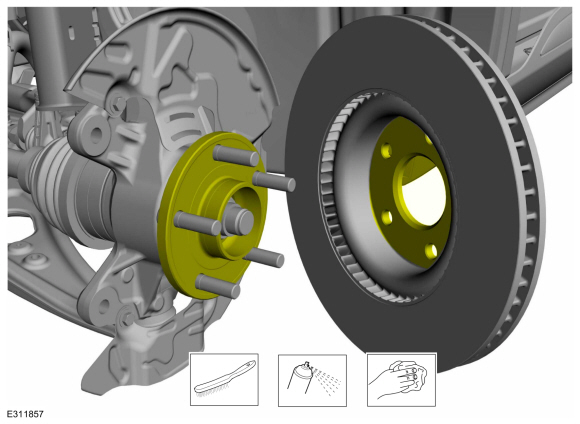
Clean the brake disc mating surfaces using a wire brush and the specified material.
Material: Motorcraft® Metal Brake Parts Cleaner / PM-4-A, PM-4-B, APM-4-C
 |
-
To install, reverse the removal procedure.
-
Deactivate the brake service mode.
Refer to: Brake Service Mode Activation and Deactivation (206-00 Brake System - General Information, General Procedures).
-
Apply the brake pedal several times to verify correct brake system operation.
 Removal and Installation - Brake Caliper Anchor Plate
Removal
WARNING:
Service actions on vehicles equipped with electronic brake
booster and electronic parking brakes may cause unexpected brake
application, which could result in injury to hands or fingers...
 Removal and Installation - Brake Disc Shield
Removal
NOTE:
Removal steps in this procedure may contain installation details.
Remove the brake disc.
Refer to: Brake Disc (206-03 Front Disc Brake, Removal and Installation)...
Other information:
Lincoln Corsair 2020-2026 Service Manual: Removal and Installation - Engine Coolant Temperature (ECT) Sensor
Materials Name Specification Motorcraft® Orange Concentrated Antifreeze/CoolantVC-3-B WSS-M97B44-D Removal WARNING: Always allow the engine to cool before opening the cooling system. Do not unscrew the coolant pressure relief cap when the engine is operating or the cooling system is hot...
Lincoln Corsair 2020-2026 Owners Manual: Adaptive Cruise Control – Troubleshooting
Adaptive Cruise Control – Information Messages - Vehicles With: Adaptive Cruise Control With Lane Centering Note: Depending on your vehicle options and instrument cluster type, not all messages display or are available. Note: The system could abbreviate or shorten certain messages depending upon which cluster type you have...
Categories
- Manuals Home
- 1st Generation Lincoln Corsair Owners Manual
- 1st Generation Lincoln Corsair Service Manual
- Auto-Start-Stop
- Opening and Closing the Hood
- Technical Specifications
- New on site
- Most important about car
360 Degree Camera Cameras
Locating the Rear View Camera
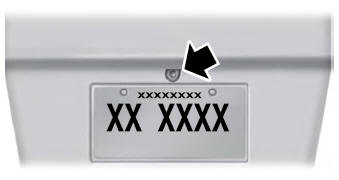
The rear view camera is on the tailgate.
Locating the Front View Camera

Copyright © 2026 www.licorsair.com