Lincoln Corsair: Glass, Frames and Mechanisms / General Procedures - Power Door Window Initialization
Initialization
-
Refer to: Health and Safety Precautions (100-00 General Information, Description and Operation)..jpg) WARNING:
Before beginning any service procedure in this
section, refer to Safety Warnings in section 100-00 General Information.
Failure to follow this instruction may result in serious personal
injury.
WARNING:
Before beginning any service procedure in this
section, refer to Safety Warnings in section 100-00 General Information.
Failure to follow this instruction may result in serious personal
injury.
-
WARNING:
Keep objects and body parts clear of the glass panel
when carrying out the initialization procedure. During the
initialization procedure, the glass panel closes with high force and
cannot detect objects in its path. Failure to follow this instruction
may result in serious personal injury.
NOTE: Make sure that the window runs are correctly installed and free of foreign material.
Start the engine.
-
Press and hold the window control switch until the door window is fully open.
-
Release the window control switch.
-
NOTE: All of the remaining steps must be carried out within 30 seconds from start to finish.
Lift and hold the window control switch until the door window stalls in the fully closed position for 2 seconds.
-
Release the window control switch.
-
Press and hold the window control switch until the door window stalls in the fully open position for 2 seconds.
-
Release the window control switch.
-
Lift and hold the window control switch until the door window stalls in the fully closed position for 2 seconds.
-
Test for correct window operation by carrying out the one-touch down and one-touch up features.
 General Procedures - Lead Terminal Repair
Materials
Name
Specification
Motorcraft® Ultra-Clear Spray Glass CleanerZC-23
ESR-M14P5-A
Repair
Bring the vehicle up to at least the specified room temperature or above...
 Removal and Installation - Driver Door Window Control Switch
Special Tool(s) /
General Equipment
Interior Trim Remover
Removal
Remove the driver door window control switch and bezel as an assembly...
Other information:
Lincoln Corsair 2020-2026 Service Manual: Removal and Installation - Floor Console
Special Tool(s) / General Equipment Side Cutter Pliers Interior Trim Remover Removal NOTE: Removal steps in this procedure may contain installation details. Remove both front seats. Refer to: Front Seat (501-10A Front Seats, Removal and Installation)...
Lincoln Corsair 2020-2026 Service Manual: Removal and Installation - Brake Disc Shield
Removal NOTE: Removal steps in this procedure may contain installation details. Remove the brake disc. Refer to: Brake Disc (206-04 Rear Disc Brake, Removal and Installation). Remove the brake disc shield. Torque: 80 lb...
Categories
- Manuals Home
- 1st Generation Lincoln Corsair Owners Manual
- 1st Generation Lincoln Corsair Service Manual
- Capacities and Specifications - 2.0L
- Technical Specifications
- Refueling - Gasoline
- New on site
- Most important about car
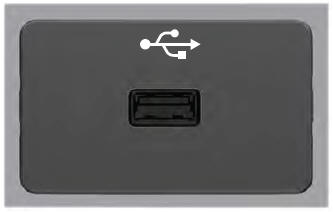
USB Port
WARNING: Driving while distracted can result in loss of vehicle control, crash and injury. We strongly recommend that you use extreme caution when using any device that may take your focus off the road. Your primary responsibility is the safe operation of your vehicle. We recommend against the use of any hand-held device while driving and encourage the use of voice-operated systems when possible. Make sure you are aware of all applicable local laws that may affect the use of electronic devices while driving.
USB A