
Lincoln Corsair: Rear Seats / Removal and Installation - Rear Seat Armrest
Lincoln Corsair 2020-2026 Service Manual / Body and Paint / Body and Paint / Rear Seats / Removal and Installation - Rear Seat Armrest
Special Tool(s) / General Equipment
| Interior Trim Remover |
Removal
NOTE: Removal steps in this procedure may contain installation details.
-
Remove the rear seat.
Refer to: Rear Seat (501-10B Rear Seats, Removal and Installation).
-
Detach the rear seat backrest cover J-clip.
.jpg) |
-
Remove the rear seat backrest cover inboard child safety seat tether anchor bezel.
Use the General Equipment: Interior Trim Remover
.jpg) |
-
-
Unzip the inboard side rear seat backrest cover.
-
Position the rear seat backrest cover.
-
Unzip the inboard side rear seat backrest cover.
.jpg) |
-
Remove the rear seat armrest bolts.
Torque: 71 lb.in (8 Nm)
.jpg) |
-
Raise the rear seat backrest into the upright position.
.jpg) |
-
Position the rear seat armrest into the lowered position.
.jpg) |
-
Remove the rear seat armrest.
.jpg) |
Installation
-
To install, reverse the removal procedure.
 Removal and Installation - Rear Seat
Special Tool(s) /
General Equipment
Interior Trim Remover
Removal
WARNING:
The following procedure describes critical repair steps
required for correct seat component installation...
 Removal and Installation - Rear Seat Backrest Cover
Special Tool(s) /
General Equipment
Interior Trim Remover
Hog Ring Plier
Removal
WARNING:
Seat backrest trim covers installed on seats equipped with
seat side airbags cannot be repaired...
Other information:
Lincoln Corsair 2020-2026 Service Manual: Removal and Installation - Main Control Cover
Removal With the vehicle in NEUTRAL, position it on a hoist. Refer to: Jacking and Lifting - Overview (100-02 Jacking and Lifting, Description and Operation). Remove the air cleaner. Refer to: Air Cleaner (303-12A Intake Air Distribution and Filtering - 2...
Lincoln Corsair 2020-2026 Service Manual: Description and Operation - Electronic Engine Controls - System Operation and Component Description
System Operation Auto Start Stop The auto start stop system helps reduce fuel consumption and decrease emissions by automatically shutting down the engine when the vehicle stops and the engine is idling, usually within 1500 ms (1.5 seconds). To initiate the auto start stop operation on automatic transmission equipped vehicles on automatic transmission equipped vehicles, the vehicle gear ..
Categories
- Manuals Home
- 1st Generation Lincoln Corsair Owners Manual
- 1st Generation Lincoln Corsair Service Manual
- Fuel Quality - Gasoline
- Head Up Display
- Memory Function
- New on site
- Most important about car
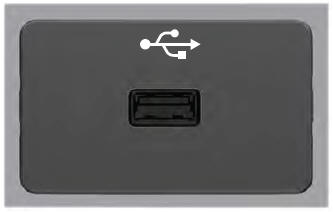
USB Port
WARNING: Driving while distracted can result in loss of vehicle control, crash and injury. We strongly recommend that you use extreme caution when using any device that may take your focus off the road. Your primary responsibility is the safe operation of your vehicle. We recommend against the use of any hand-held device while driving and encourage the use of voice-operated systems when possible. Make sure you are aware of all applicable local laws that may affect the use of electronic devices while driving.
USB A

Copyright © 2026 www.licorsair.com