
Lincoln Corsair: Speed Sign Recognition / Speed Sign Recognition Indicators. Setting the Speed Sign Recognition Speed Warning. Setting the Speed Sign Recognition Speed Tolerance
Lincoln Corsair 2020-2024 Owners Manual / Speed Sign Recognition / Speed Sign Recognition Indicators. Setting the Speed Sign Recognition Speed
Warning. Setting the Speed Sign Recognition Speed Tolerance
Speed Sign Recognition Indicators

Speed Sign Recognition Indicators
When the system detects a speed limit sign, it appears in the information display.
Setting the Speed Sign Recognition Speed Warning
To set the speed warning, use the touchscreen.
- Select Driver Assistance.
- Select Speed Sign Recognition
- Select to switch the feature on or off.
Setting the Speed Sign Recognition Speed Tolerance
To set the tolerance of the speed warning, use the touchscreen.
- Press Driver Assistance.
- Press Speed Sign Recognition.
- Press Tolerance.
- Use the up and down arrow buttons to select the required level.
 What Is Speed Sign Recognition. How Does Speed Sign Recognition Work. Speed
Sign Recognition Precautions. Speed Sign Recognition Limitations
What Is Speed Sign Recognition. How Does Speed Sign Recognition Work. Speed
Sign Recognition Precautions. Speed Sign Recognition Limitations
What Is Speed Sign Recognition
Speed sign recognition detects speed limit
signs to inform you of the current speed limit.
Detected speed signs appear in the
information display...
 Speed Sign Recognition – Troubleshooting
Speed Sign Recognition – Information Messages
Speed Sign Recognition – Frequently Asked Questions
Why does the speed limit change without any sign on the road?
The speed limit changes due to the
speed limit data stored in the map data...
Other information:
Lincoln Corsair 2020-2024 Service Manual: Description and Operation - Body Closures - Component Location
Item Description 1 Liftgate anti-pinch switches 2 Power liftgate motor 3 RGTM 4 Power liftgate latch 5 Hands-free liftgate actuation lower sensor (if equipped) 6 Hands-free liftgate actuation module (if equipped) 7 Hands-free liftgate actuation upper sensor (if equipped) ..
Lincoln Corsair 2020-2024 Service Manual: Description and Operation - Rear Seats - Overview
Overview Heated Seats If equipped with the heated seat system, the rear seat cushion and backrest can be heated at one of two levels on demand. The components of the rear heated seat system include: Seat cushion heater mat (LH / RH ) Seat backrest heater mat (LH / RH ) Heated rear seat module (attached to the underside of the LH rear seat cushion frame) Heated seat switch ..
Categories
- Manuals Home
- 1st Generation Lincoln Corsair Owners Manual
- 1st Generation Lincoln Corsair Service Manual
- Exterior Mirrors
- Selecting a Drive Mode. DRIVE MODES
- Remote Start Settings
- New on site
- Most important about car
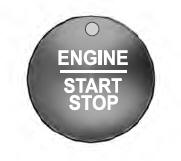
Keyless Starting
Note: The keyless starting system may not function if the key is close to metal objects or electronic devices such as cellular phones.
Note: A valid key must be located inside your vehicle to switch the ignition on and start the engine.
Ignition Modes

Copyright © 2024 www.licorsair.com