
Lincoln Corsair: Power Steering / Removal and Installation - Tie Rod End
Special Tool(s) / General Equipment
| Tie Rod End Remover |
Removal
NOTE: Removal steps in this procedure may contain installation details.
NOTE: Left hand (LH) side shown, right hand (RH) side similar.
-
Remove the wheel and tire.
Refer to: Wheel and Tire (204-04A Wheels and Tires, Removal and Installation).
-
-
Loosen the tie rod end jam nut.
Torque: 66 lb.ft (90 Nm)
-
NOTE: Use the hex-holding feature to prevent the stud from turning while removing the nut.
Remove and discard the tie rod end nut.
Torque: 35 lb.ft (48 Nm)
-
NOTICE: Do not use a hammer to separate the outer tie rod end from the wheel knuckle or damage to the wheel knuckle may result.
NOTICE: Use care when installing the tie rod separator or damage to the outer tie rod end boot may occur.
Separate the tie rod end from the wheel knuckle.
Use the General Equipment: Tie Rod End Remover
-
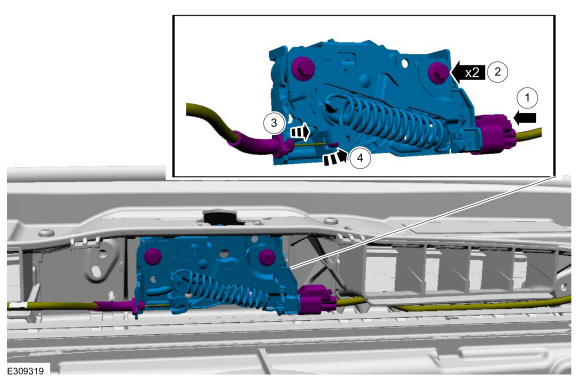
Loosen the tie rod end jam nut.
 |
-
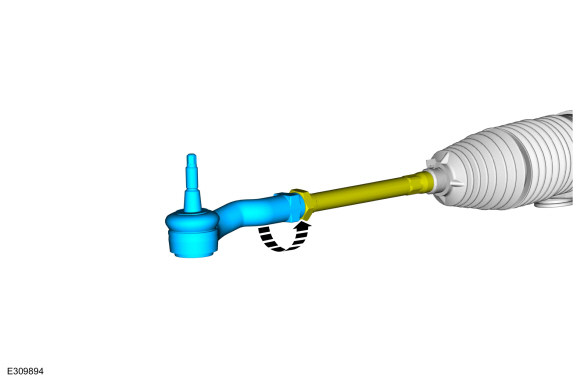
NOTE: Count and record the number of turns required to remove the tie rod end for reference during installation.
Remove the tie rod end.
 |
Installation
-
To install, reverse the removal procedure.
-
Check and if necessary, adjust front toe.
Refer to: Front Toe Adjustment (204-00 Suspension System - General Information, General Procedures).
 Removal and Installation - Tie Rod
Removal
NOTE:
If servicing the RH (right-hand) tie rod, both bellows boots must be removed.
Remove the steering gear boot.
Refer to: Steering Gear Boot (211-02 Power Steering, Removal and Installation)...

Other information:
Lincoln Corsair 2020-2026 Service Manual: Overhaul - Main Control Valve Body
Special Tool(s) / General Equipment Flat Headed Screw Driver Materials Name Specification Motorcraft® MERCON® ULV Automatic Transmission FluidXT-12-QULV WSS-M2C949-A, MERCON® ULV Main Control Valve Body and Solenoid Body Unlock and disconnect the transmission shift solenoid electrical connectors and the TFT sensor electrical connector. Unlock and d..
Lincoln Corsair 2020-2026 Service Manual: Diagnosis and Testing - Powertrain Control Module (PCM) Input and Output Controls
Diagnostic Trouble Code (DTC) Chart Diagnostics in this manual assume a certain skill level and knowledge of Ford-specific diagnostic practices. REFER to: Diagnostic Methods (100-00 General Information, Description and Operation). Module DTC Description Action PCM P0219:00 Engine Overspeed Condition: No Sub Type Information GO to Pinpoint Test Z PCM P0297:00 Vehicle Overs..
Categories
- Manuals Home
- 1st Generation Lincoln Corsair Owners Manual
- 1st Generation Lincoln Corsair Service Manual
- Normal Scheduled Maintenance
- Selecting a Drive Mode. DRIVE MODES
- Fuel Quality - Gasoline
- New on site
- Most important about car
Creating a Vehicle Wi-Fi Hotspot
You can create a Wi-Fi hotspot in your vehicle and allow devices to connect to it for access to the Internet.
 Select the settings option on
the
feature bar.
Select the settings option on
the
feature bar.
