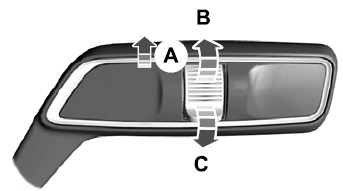
Lincoln Corsair: Lighting / Lighting Control
Lighting Control Selections
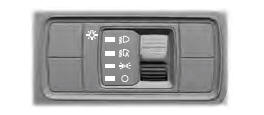
Press the toggle switch upward or downward to make a selection.
Note: An indicator illuminates next to the active selection.
 Lamps off.
 Parking lamps, instrument panel
lamps, license plate lamps and rear
lamps.
Parking lamps, instrument panel
lamps, license plate lamps and rear
lamps.
 Autolamps.
 Headlamps on.
Note: The lighting control defaults to autolamps each time you switch your vehicle on.
Switching High Beam Headlamps On and Off
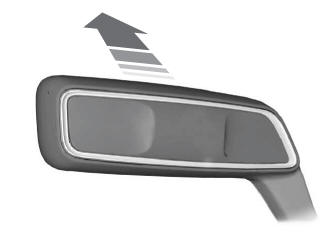
 Push the lever away from you to
switch the high beam on.
Push the lever away from you to
switch the high beam on.
Push the lever forward again or pull the lever toward you to switch the high beams off.
Flashing High Beam Headlamps
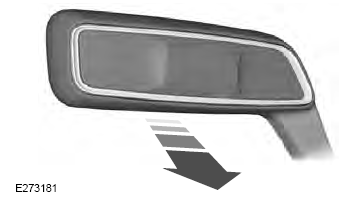
Pull the lever toward you and release it to flash the high beam headlamps.
 General Information
Condensation in the Exterior Front Lamps and Rear Lamps
Exterior front lamps and rear lamps have
vents to accommodate normal changes in
air pressure...
 Autolamps
WARNING: The system does not
relieve you of your responsibility to drive
with due care and attention. You may need
to override the system if it does not turn
the headlamps on in low visibility
conditions, for example daytime fog...
Other information:
Lincoln Corsair 2020-2026 Service Manual: Description and Operation - Front Seats - System Operation and Component Description
System Operation System Diagram - Driver Memory Seat Item Description 1 HS-CAN1 2 PCM 3 BCM 4 HS-CAN1 5 Ignition Switch 6 GWM 7 Memory Set Switch 8 MS-CAN 9 DSM 10 MS-CAN 11 DDM 12 Memory Power Seat Motors 13 LIN 14 Driver Seat Control Switch ..
Lincoln Corsair 2020-2026 Owners Manual: Adaptive Cruise Control Limitations
Vehicles With: Adaptive Cruise Control With Lane Centering Adaptive cruise control limitations apply to lane centering unless stated otherwise or contradicted by a lane centering limitation. The system may not correctly operate in any of the following conditions: Your vehicle is not centered in the lane. The lane is too narrow or wide. The system does not detect at least one lane marking ..
Categories
- Manuals Home
- 1st Generation Lincoln Corsair Owners Manual
- 1st Generation Lincoln Corsair Service Manual
- Opening and Closing the Hood
- Head Up Display
- General Procedures - Brake Service Mode Activation and Deactivation
- New on site
- Most important about car
Autowipers (IF EQUIPPED)
Wet or winter driving conditions with ice, snow or salty road mist can cause inconsistent and unexpected wiping or smearing.